
JLR SDD V169 is the dealer-level software for Jaguar & Land Rover released on 2026.01.it support full system scans, live data, service resets, programming/coding, key procedures.
SDD V169 Coverage:
- Jaguar: 2008–2017
- Land Rover / Range Rover: 2000–2017
- For 2017+ vehicles with DoIP, use JLR Pathfinder V374
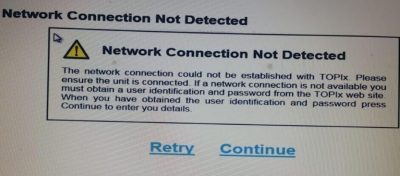
There still have guys use SDD V168 ,v165 with older Offline patch ,them may got these kinds of problem.Now we fixed it with new SDD Patch (Certificate).
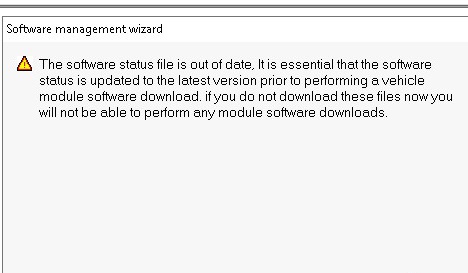
- SDD V164 says : Software Status file out of Date
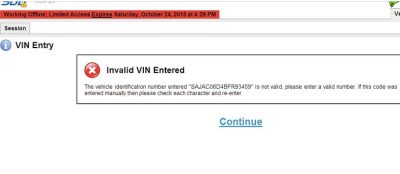
- Invalid VIN Entered
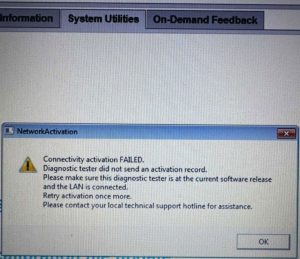
- NetworkActivation ,Connectivity activation Falied
JLR SDD V169 patch will do :
- Solved for Invalid VIN:Fixed a common bug from v168 where the VIN was not recognized automatically on certain Jaguar models.
- Online Access server download calibration files : Older versions with older Patch (168 and below) are now blocked for online functions like “As-Built” data and calibration downloads.
- OS Compatibility: Windows 10/11 (64-bit) is now the standard,Windows 7 not supported.
How to install SDD V169 and activate with New Patch ?
- A clean Windows 10/11 without Older version SDD/patch installed,We advise Full English version ,other Languages may get some bugs when activate .
- If you do not want new install Windows system,You can full uninstall JLR SDD parts
- Disable Your Windows Defender and Antivirus programmer.
- Download files included SDD 169 installater,Newest Java kit ,and SDD V169 keygen .
- Install JLR SDD programmer ,this step may take 1 hour
- Install JAVA platform.
- Check Your Windows Date/Time ,make it is Automatic and SYNC it
- Edit app.properties files for make it working offline ,Find this two files and add Lines and Save it.
C:\Program Files (x86)\JLR\SDD\SDD\app.properties
C:\Program Files (x86)\JLR\IDS\SDD\app.properties
sdd.authentication.topix.address=offline
sdd.authentication.sdd2.offline.enabled=true
sdd.authentication.sdd2.enabled=true
sdd.windows10.enabled=true
sdd.ie11.enabled=true
9.Launch the Keygen( java -jar keygen.jar) to generate 2 activation files (publickey.bin and aa3b39f875924856d6cc1149673abe3eaed2ea6dded4703beedd811fac436fa2)
10.Create a blank folder under C, and move the file ” publickey.bin” into it.the pach must same as this 100% c:\com\cognitran\topix\client\sdd\v3_0\security\
Move another activation file(aa3b39f875924856d6cc1149673abe3eaed2ea6dded4703beedd811fac436fa2) to the folder: C:\ProgramData\JLR\IDS\Users\
11.Now Start the JLR SDD on desktop ,and Click Continue,put user name SDD to login.Select any dealer You want,Here we select as USA .
Go System test Network ,it passed means able download calibration files.
Errors with SDD 169 programmer :
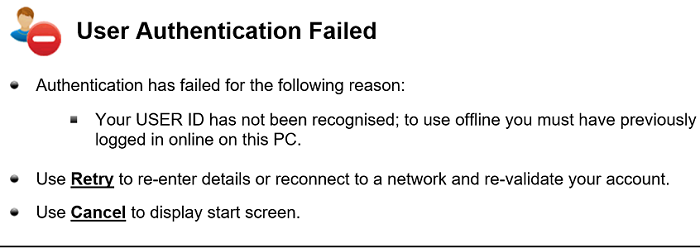
User Authentication Failed.
When you did not edit file and activate correct , you will get this kind error .Read the steps and understand it well ,make patch again .(Try disable Secure Boot on Bios)
Local System date and time have been modified .
This usually cause by You changed the Windows date and then the License not working any more .What’s You should do is Full uninstall JLR SDD and activate again with Keygen.
System Error:An unrecoverable system error has occurred and been logged .
Uninstall and new install will almost fix this error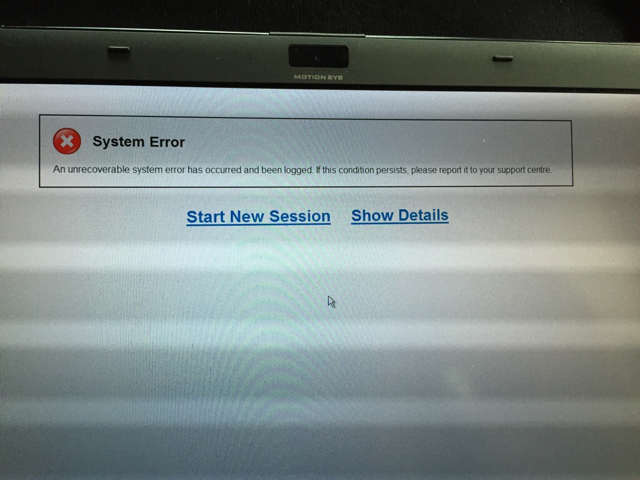
when enter System Menu it crasched
This usually cause with Others diagnosis software,Example Ford/Mazda IDS programmer.You can uninstall IDS programmer then it back working again .
My Mongoose JLR cable Not connected on Windows 11
You need install correct Driver and install J2534 updater that special for Windows 11
Leave A Comment