
Ford IDS (Integrated Diagnostic System) is the official factory diagnostic software designed for use with Ford VCM 3, VCM, VCM II, VCMM Interfaces. IDS provides complete dealer-level vehicle diagnostics for Ford, Lincoln, and Mercury vehicles. V132.04 is lastest version,This post share you how to install it on Your windows 10 .
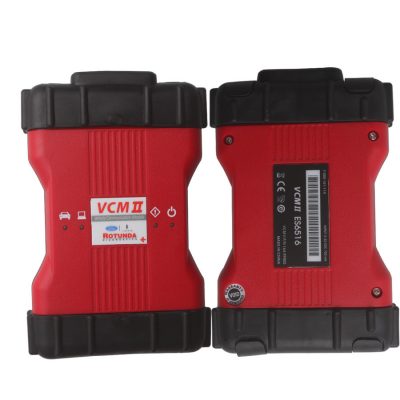
Important Notes:
- Purachse the Patch files HERE !!!
- FORD IDS v132 patch working 100% with Origianl VCM/VCM2/VCM3
- Support High Quality clone VCM2 with dual board
- Must update Your firmware to lastest version first
- Not VXDiag patch,not working VNCI or VXDIAG
- Not support J2534 Interface(Use FJDS programmer when you have J2534 Passthru tool)
- Not working online download calibration files from Server as it is Patcher ,that will required Dealer License.But you can download manually from other sources.
- The patch working IDS V131, V132.01,132.04 ,But as feedback 132.04 Have issue on Reprogramming modules,so the most stable version would be IDS V132.01.
IDS V132 Installation steps:
- Install IDS-132_01_Full.exe (Important: Make sure you install it using the default path:C:\Program Files (x86)\Ford Motor Company\IDS)
- Install FDRS_45.6.5_exe(Must together)
- Install VCI_Software_1.0.1.18(Must together)
- Download and Install Ford VCI Driver for your Interface!
- Restart your computer once the installations are complete.
- Run the IDS V130 patcher as Administrator (Important!). If you don’t, it won’t work.
- When prompted, type 1 to patch and press Enter. You should see a confirmation message saying the patch was successful.
- Start the patcher again, and this time press number 2. This will popup the VCI Manager that will allow you to choose your VCI Type.
- Once you chose the VCI, IDS will start.You can now start IDS normally every time without need of patcher or VCI Manager.
Fix erros after install IDS V132 patch:
1. IDS Still required account Login?
This error happen when the Patch not applied(may be permissions),Follow below steps to fix it:
- Right-click on your IDS shortcut.
- Go to Properties,In the Target field, change SubscriptionLauncher.exe to Tabman.exe.
- Try running IDS again.
2. IDS Does not show VCI Manager icon in the program?
- Open IDS Patcher as administrator
- Press number 2 and Enter.
- Choose your VCI from the list and press OK
3. How uninstall IDS programmer without re-install Windows 10 ?
The IDS Cleanup Utility removes prior IDS software files that may prevent the installation of a new IDS software version. When an IDS software installation error occurs, do the following steps:
- Uninstall IDS using Start > All Programs > Ford Motor Company > Uninstall IDS
- Reboot PC
- Run the IDS CleanUp Utility
- Reboot PC
- Re-install IDS
- Reboot PC
Leave A Comment