
IO PROG Ecu programmer also name Clone I/O Terminal, which is a software and hardware solution designed for work with ECUs, transmissions, and BSI. I/O Prog support to Read and Write FLASH/EEPROM data by Bench/OBDII socket .
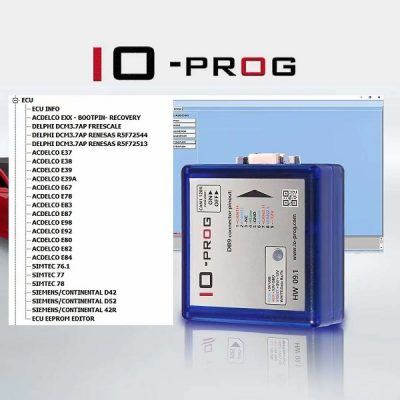
IO Prog Full Licenses activated :
- OPEL/GM ACDELCO ECU
- Opel BCM
- GM TCM
- Opel/GM Bosch EPS
- PSA BSI Module
- Ford Lear BCM MC9S12XEP768
Some comm Error happen when use I/O prog
Error 1 : comm lib1 framework function CAN_KWP_TX_RX_PACKET could not receive CAN kwp packet”
Try Connect on Bench ,This error results from the lack of communication on the can or k-line. make sure all cables connected well and correct pins ,also check the 12V
Error 2 : “usb rx error”
try to change USB cable I had this error many times
Error 3 :Conn FAILED :CANTXID : NOTDETECTED CANRXID : NOTDETECTED
Unzip IO prog v46b file under C, and make you have not others version here .if still error ,try re-connect cables again .the steps is IO Prog USB to laptop, Then connect to OBD or Bench ,Last run the I/O prog software
Error 4 :367C not supported
First You must have full License PSA IO Prog .if still that means This functions not supported ,Example PSA BSI VALEO is not working good for clone I/O Prog,You only go with Original IO Terminal
Error 5 : ram img file 2CANKLINERAMEXE.bin does not exist
This because software not able found 2CANKLINERAMEXE.bin,So do not move the io prog.exe from file ,and just send shortcut to desktop . Or new unzip file and install again
Error 6 :when connect to Acdelco E80 ,it show SX1 1000 ,SX1 FAILED
You need use GM 5BSK calculator to calcuate seed, then put on “advanced settings” mankey. check video details
If you use offline version IO PROG V46B,you can calcuate seed on ecuhlep offical site
Leave A Comment